

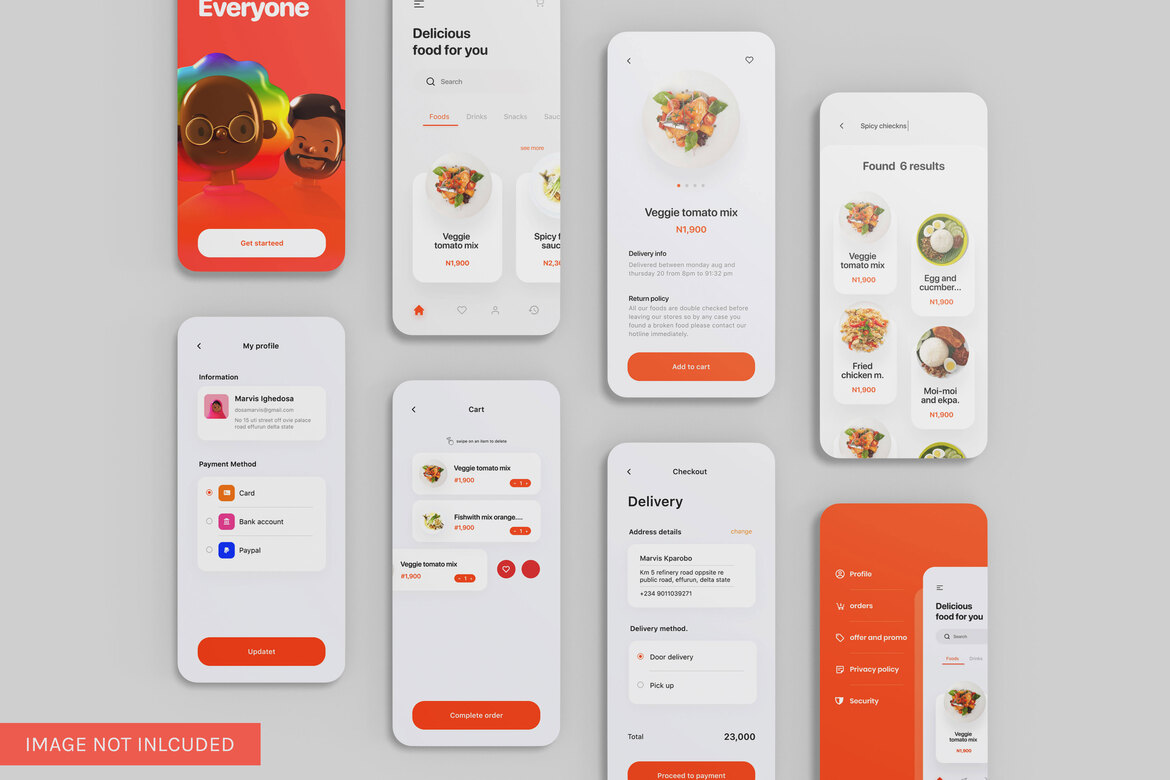
Mobile app UI/UX design plays a critical role in 2025 because users judge an app’s quality within seconds and expect smooth, intuitive interactions. Design isn’t just about making an app look good – it’s about how it feels, how it guides users, and how effortlessly someone can complete a task. In today’s mobile-first world, users form an opinion of your app within 3 seconds, and 88% say they won’t return after a bad experience.
This is why UI/UX design has become the defining factor of an app’s success. With over 6.4 billion smartphone usersand thousands of apps launching every day, design is no longer optional – it’s a competitive advantage.
Here’s a complete, simple guide to understanding mobile app UI/UX design, even if you’re not a designer or developer.
What Is Mobile App UI/UX Design – Explained Simply
Think of UI and UX as two sides of the same coin:
UX (User Experience)
How an app feels
How easy it is to use
How smoothly users navigate from one step to another
UI (User Interface)
How an app looks
Colors, typography, buttons, icons, spacing
A great app balances both – a beautiful interface and a seamless user experience.
Examples of good UI/UX:
- A checkout process that takes 2 taps
- A clean home screen with zero clutter
- A search bar that predicts what you need
- Buttons that feel natural to tap
When UI/UX is done well, users hardly notice it. Everything just works.
Why UI/UX Design Matters – The Stats Say It All
1. 70% of users abandon apps with poor usability
Bad navigation kills engagement.
2. A well-designed UI can boost conversion rates by up to 200%
Clean design impacts business results.
3. 9 out of 10 users stop using an app due to poor performance or bad UX
Speed and clarity matter more than features.
4. Users decide whether they trust an app within 50 milliseconds
Visual clarity builds credibility.
5. Apps with strong UX see 5x higher retention
The easier it is, the more users return.
These numbers show that design is not just visual – it’s strategic.
Core Principles of Great Mobile App UI/UX Design
1. Simplicity First
Users shouldn’t think twice about how to use your app.
Keep screens clean, labels clear, and steps minimal.
2. Clear Navigation
Menus, tabs, icons – everything should guide users naturally.
3. Consistency Across Screens
Buttons, colors, and typography should remain uniform.
This builds familiarity and trust.
4. Fast Loading and Smooth Interactions
A delay of even 1 second reduces user satisfaction by 16%.
5. Accessibility for Everyone
Large tap targets, readable text, voice support – inclusivity matters.
6. Visual Hierarchy
Show what’s important first. Use bold text, larger fonts, or color contrast.
7. Human-Centered Design
Understand real users, not assumptions.
Design for their habits, pain points, and goals.
Elements of a Successful Mobile App UI/UX
1. Layout and Structure
A clean, uncluttered layout improves engagement.
2. Typography
Readable, scalable fonts improve accessibility.
3. Color Palette
Colors influence emotions and guide user behavior.
4. Buttons and Interactions
Tappable, responsive, intuitive controls keep users moving.
5. Micro-interactions
Tiny animations – like a button ripple – add delight and reassurance.
6. Onboarding Flow
Users should understand your app within the first 30 seconds.
7. Error States and Feedback
Clear messages reduce user frustration.
UX Research – The Foundation of Good Design
Before designing, teams must understand users through:
- Surveys
- User interviews
- Heatmaps
- A/B testing
- Journey mapping
This ensures your design isn’t based on guesses but on actual user behavior.
Apps like Airbnb, Uber, and Duolingo invest heavily in UX research – that’s why they feel so intuitive.
Mobile App UI/UX Trends for 2025
1. Personalized UI
Apps adapting to user preferences.
2. Minimalist interfaces
More white space, fewer distractions.
3. Gesture-based navigation
Swipe, drag, long-press interactions.
4. Dark mode
Reduced eye strain and better battery life.
5. 3D and motion effects
Light, smooth animations enhancing visual engagement.
6. AI-powered UX
Smart suggestions, personalized flows, predictive actions.
These trends make modern apps feel more dynamic and user-friendly.
Benefits of Great Mobile App Design for Your Business
1. Higher User Engagement
Clear flows increase time spent inside the app.
2. Increased Conversions
A frictionless experience encourages purchases, sign-ups, and interactions.
3. Lower Development Costs
Good design early means fewer fixes later.
4. Stronger Brand Perception
A polished interface builds trust and loyalty.
5. Better App Store Ratings
Happy users leave positive reviews.
6. Improved Retention
Users return to apps that feel smooth and easy.
Common UX Mistakes to Avoid
- Overly complex onboarding
- Cluttered screens
- Too many pop-ups
- Tiny tap areas
- Poor contrast
- Slow animations
- Hidden essential actions
Avoid these, and your app lands far ahead of competitors.
How to Create an Intuitive and Engaging Mobile App – Step by Step
1. Research Users
Know their needs, frustrations, and motivations.
2. Create Wireframes
Blueprints for each screen.
3. Design High-Fidelity UI Screens
Polished visuals, colors, icons, typography.
4. Build Interactive Prototypes
Clickable demos for user testing.
5. Conduct User Testing
Watch how real users interact.
6. Refine and Improve
Make changes based on feedback.
7. Hand Off to Developers
Provide clean assets, components, and guidelines.
Is Great UI/UX Worth the Investment? Absolutely
Companies that invest in UI/UX outperform their competitors.
Great design increases revenue, adoption, and customer satisfaction.
Whether your app is for e-commerce, finance, fitness, education, healthcare, or social networking – UI/UX directly affects growth.
In 2025, users expect apps that are fast, beautiful, intuitive, and delightful.
Design is not optional anymore – it’s the heart of every successful mobile experience.